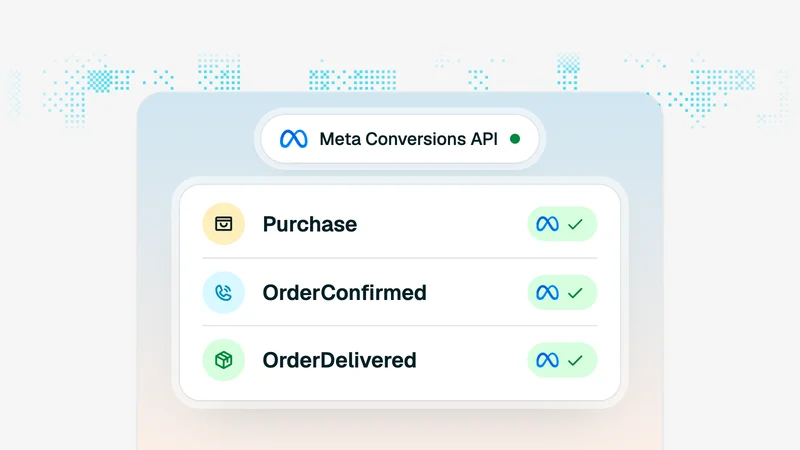
Measuring Facebook Ads When You Sell Cash on Delivery
Meta optimises against the purchase event you send it. In COD, that event fires days before you know whether the order was real. Here is why your reported ROAS overstates reality, and how to measure delivered ROAS instead.

Key takeaways
- Meta counts a purchase when the form is submitted. In COD that is days before you know whether the parcel was delivered — so reported ROAS is always the optimistic version.
- Multiply reported revenue by your delivery rate to get delivered ROAS. At an 80% delivery rate, a 3.0 reported ROAS is really 2.4.
- Break delivery rate down by campaign. Cheap broad traffic often delivers far worse than retargeting, which can flip a “winning” campaign into a losing one.
- Tag every order with its UTMs at checkout. Without that link you can never connect a delivered order back to the ad that produced it.
- Set your target ROAS from delivered economics, then judge campaigns against the reported number that corresponds to it. Do not compare reported ROAS to a delivered‑cost target.
Meta’s reporting was built for a world where a purchase event means money has moved. In cash on delivery it means a form was submitted. Those are separated by confirmation, a courier, a doorstep and a remittance cycle — and orders fall out at every one of them.
The result is a number that is not wrong so much as early. Ads Manager is honestly reporting the thing it was told to count. The mistake is treating that thing as revenue.
What the pixel is actually counting
When someone submits your COD checkout, the pixel fires a Purchase event with the order value. At that instant you know almost nothing: not whether the phone number is real, not whether the customer will confirm, not whether the parcel will be accepted.
So the funnel Meta sees ends where your funnel is barely half done:
| Stage | Who sees it | Typical drop |
|---|---|---|
| Order submitted | Meta counts this as the purchase | — |
| Confirmed | Your operation only | 10–20% lost |
| Dispatched | Your operation only | small |
| Delivered | Your operation only | 10–20% lost |
| Remitted | Your bank, 1–3 weeks later | — |
Every drop below the first row is invisible in Ads Manager, permanently. No attribution setting fixes this, because it is not an attribution problem — it is a definition problem.
Delivered ROAS: the number that corresponds to money
The correction is simple arithmetic. Take reported revenue and multiply by the share of orders that actually get delivered and paid.
Delivered ROAS ≈ reported ROAS × delivery rate
At an 80% delivery rate, a campaign showing 3.0 is really running at 2.4. At 65% it is at 1.95. If your break‑even sits at 2.2, those two campaigns are on opposite sides of profitability while looking identical in Ads Manager.
That single multiplication is the highest‑value change most COD advertisers can make to their reporting. It requires no new tooling — only your delivery rate, which you already have.
Delivery rate is not constant across campaigns
Here is where a store‑wide correction stops being enough. Traffic quality varies enormously by campaign, and delivery rate varies with it.
- Broad interest targeting tends to produce the cheapest orders and the worst delivery rates. Low intent converts on impulse and evaporates by the time the courier calls. Which courier is calling matters too, because delivery rate varies by carrier and by wilaya.
- Retargeting produces more expensive orders that deliver much more reliably, because the buyer already knew the brand when they ordered.
- Search and branded traffic usually delivers best of all, and is usually the smallest share of spend.
A broad campaign at 2.8 reported and 60% delivery is running at 1.68. A retargeting campaign at 2.2 reported and 88% delivery is running at 1.94. The one that looks worse in Ads Manager is the one making money — and no amount of staring at Ads Manager will ever tell you that.
How to connect a delivered order back to an ad
To measure delivery rate per campaign you need each order to carry its source from the landing page all the way to remittance. Three steps:
- Capture UTMs on arrival. Store the utm_source, utm_medium, utm_campaign and ad id in a cookie when the visitor lands, so the values survive navigation to the product page and the checkout.
- Write them onto the order. At checkout, save those values as fields on the order record itself, not just in an analytics tool. The order is the object that will later be marked delivered.
- Report on delivered orders by source. Once the tag is on the order, delivery rate, return rate and delivered revenue per campaign all become ordinary queries.
Without step two there is no way to do any of this after the fact. Analytics tools know about sessions; only your order records know what was delivered. Which Algerian platforms write the source onto the order and report ad spend against delivered orders is compared in the best e-commerce platform in Algeria.
Keep optimising on the order event
A tempting conclusion is to send Meta a purchase event only when a parcel is delivered. In practice this makes performance worse. The delivery signal arrives one to three weeks after the click, and it is far sparser — both properties that starve the algorithm of the feedback it needs.
Keep the pixel firing on order submission so Meta can learn quickly, and do the delivery correction in your own reporting. Optimise on the fast signal, decide on the true one.
If you want to give Meta better information without breaking the loop, send order value adjusted for the expected delivery rate of that audience, or use the offline conversions API to reconcile after the fact while leaving the primary optimisation event alone.
Setting a target that means something
Work backwards from unit economics rather than picking a round number:
- Start with gross margin per delivered order.
- Subtract the cost of returns spread across delivered orders.
- Subtract confirmation and handling cost per order.
- The delivered ROAS that leaves your required profit is your real target.
- Divide that by your delivery rate to get the reported ROAS to judge campaigns on inside Ads Manager.
The last step is the one everyone skips, and it is the one that causes stores to kill profitable campaigns and scale unprofitable ones. Comparing a reported number against a delivered‑cost target is comparing two different currencies.
The same gap between orders reported and orders paid for shows up across every channel, not only paid ads — measuring channels on delivered orders applies the idea more widely.
Frequently asked questions
Why is my Facebook ROAS higher than my actual profit?
Because Meta records a purchase the moment the checkout form is submitted, and in cash on delivery a submitted form is not a sale. Between that event and money in your account sit confirmation, delivery and remittance — and orders drop out at every stage. Reported ROAS is measuring order intent, not revenue.
What is delivered ROAS?
Delivered ROAS is revenue from orders that were actually delivered and paid for, divided by ad spend. It is the only version of the number that corresponds to money. Reported ROAS multiplied by your delivery rate is a good working approximation.
How do you track which ad produced a delivered order?
Capture the UTM parameters on the landing page, store them on the order at checkout, and keep them attached through confirmation and delivery. Once orders carry their source, you can measure delivery rate and delivered revenue per campaign rather than per store.
Should you send Meta a purchase event on order or on delivery?
Send it on order. Delivery is too sparse and far too delayed for the algorithm to learn from — the feedback arrives one to three weeks late. Keep optimising on the order event and correct for delivery rate in your own reporting instead.
What target ROAS should a COD store aim for?
Work backwards. Take your delivered margin per order, subtract the cost of returns, and find the delivered ROAS that clears it. Then divide by your delivery rate to get the reported ROAS you should be judging campaigns on inside Ads Manager.
Tassyir Team
E-commerce operations, Tassyir
We build the platform Algerian merchants use to run cash-on-delivery stores: orders, stock, couriers and finances in one place. Everything here comes out of the operational data and merchant conversations behind that product.
Share this guide
Send on WhatsApp